

Pin&Spin

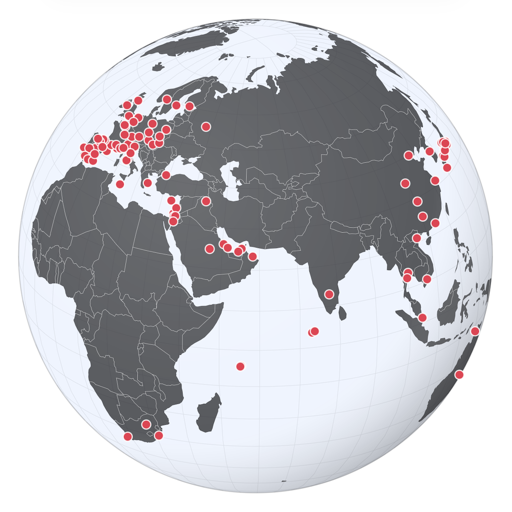
Welcome to Pin&Spin, your personal travel map. Every place you've been, pinned on the revolving globe.

Available on iPhone, iPad, Mac and Apple Vision Pro.

Download on the App Store Download on the Mac App Store

Loading globe…

How it works

Explore the globe

The globe spins on its own. Pins on it mark your places (scroll the ribbon below to see all places).

  • Drag the globe to explore its regions.
  • Pinch the globe to zoom in and out.
  • Tap on lands or oceans to zoom in on the region - tap a Pin (or a name on the ribbon) to visit the place.
  • Double-tap anywhere to zoom back out to the spinning globe.
Globe with realistic texture on iPhone

Pin your Places

Build your own travel record.

  • Tap "Edit Places" in the toolbar to add, edit, or remove places.
  • Tap "+" to add a new place — drop a Pin right on the map and/or enter your info.
  • Select a place on the list to edit it. Or swipe to remove it.
Places list with select and delete feature on iPhone Place editor screen on iPhone

Take control

Use your toolbar buttons for setting preferences and taking actions.

  • Toggle the earth's appearance: stylized or realistic.
  • Take a movie clip of a globe revolution and share it with your friends.
  • Share your places with another device.
  • Load or remove demo places — or wipe everything and start fresh.
Globe with stylized texture on iPhone

Get Pin&Spin

Available on iPhone, iPad, Mac and Apple Vision Pro.

Download on the App Store Download on the Mac App Store

Contact

Questions or feedback about Pin&Spin? Drop us a line.